
25 topics
Maths
Arithmetic, times tables, fractions, percentages, ratio, place value, BIDMAS, word problems and more.
Brain Boost Buddy gives your child a short, parent-set quiz before the desktop unlocks. When they need help, it teaches the topic clearly and lets them try again.
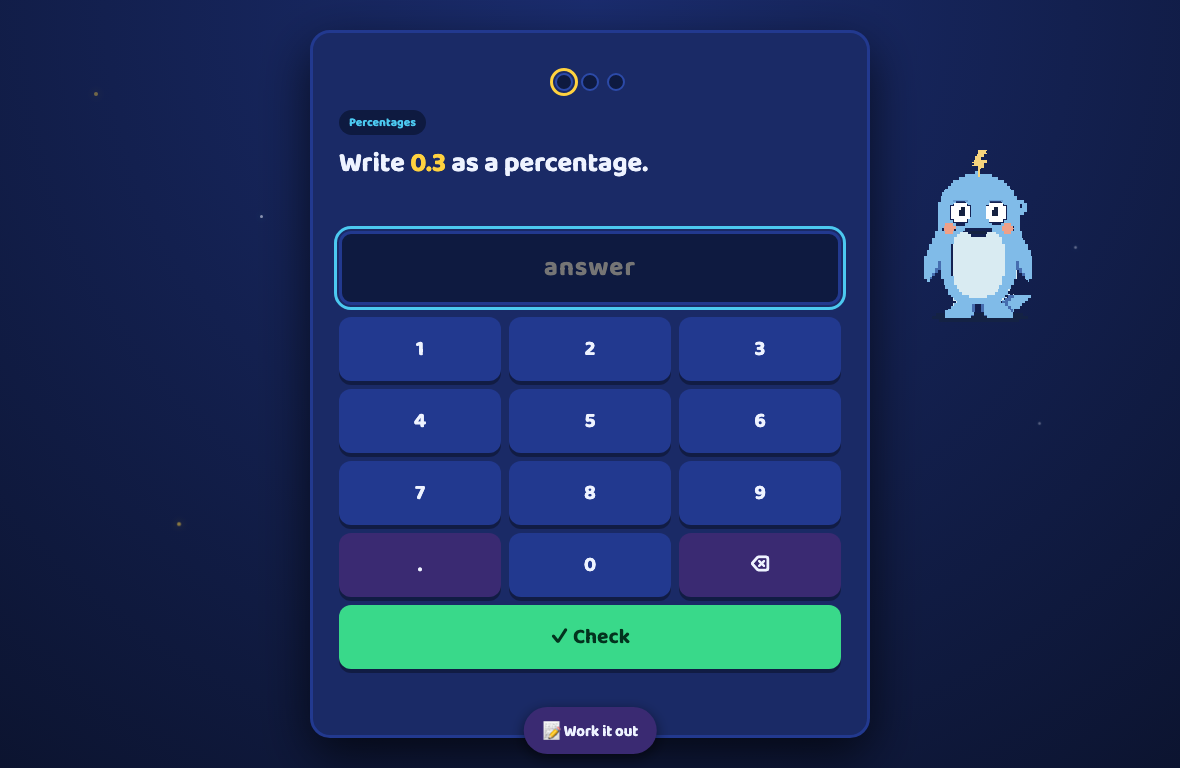
 Help is always nearby
You choose the level and the finish line. Brain Boost Buddy handles the short learning step between opening the laptop and using the desktop.
Brain Boost Buddy appears first, in fullscreen, before distractions can take over.
They choose Maths, English or Money, learn a topic first if they want, then answer the number of questions you set.
Pass the quiz and Buddy steps aside. The laptop is theirs for the time you chose.
Each topic has age-banded explanations, worked examples and guided practice. Children can learn before the quiz, or get focused help after a wrong answer, then try a fresh question.
Find 25% of 80.
Fresh questions and structured teaching across 42 topics, tuned to your child's school year and the practice level you choose.
25 topics
Arithmetic, times tables, fractions, percentages, ratio, place value, BIDMAS, word problems and more.
8 topics
UK spelling lists, homophones, word classes, punctuation, prefixes, suffixes and verb tenses.
6 topics
Counting, change, budgeting, saving, spending, earning and an age-appropriate introduction to investing.
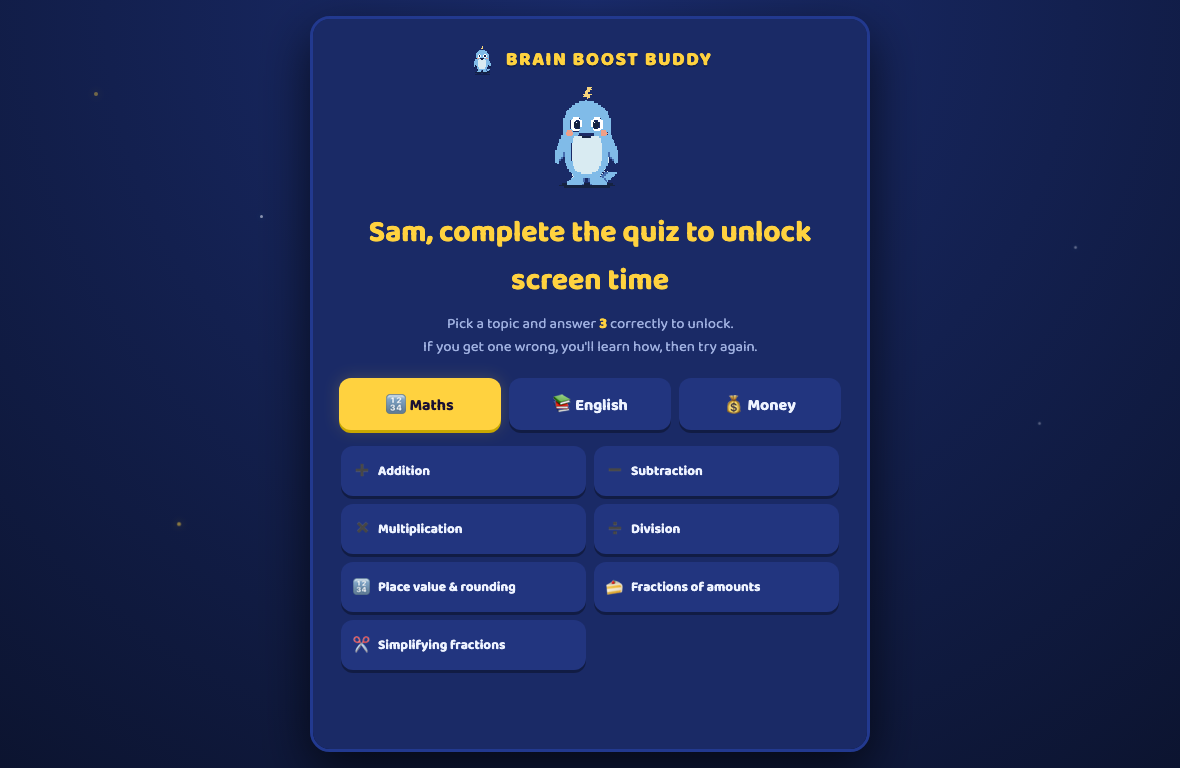
Each child gets their own topics, level, progress report and routine.
Your PIN opens the parent controls. Choose the exact topics for each child, review how they are doing, shorten the quiz, skip today or switch the gate off completely.
A practical family tool with straightforward boundaries.
Core quizzes, lessons and the unlock routine stay on the laptop.
Your child's name, progress and parent PIN are stored on your computer.
The child never gets interrupted by an update prompt.
It builds a routine for primary-age children. It is not security or parental-control software.
Try every feature free for seven days, with no card. Then it is £2.99 a month. On Mac and Windows that covers up to three household devices. On iPhone and iPad, subscribe through Apple for now.
No charge during the trial. Mac and Windows purchases are covered by our 14-day money-back promise. App Store purchases are billed and refunded by Apple.
Still unsure? Email info@bashbop.com and you will reach a real person.
Yes. Get it on the App Store. The iPhone and iPad app is homework-style practice with the same quizzes and lessons. It does not lock or unlock the device. For now, if you subscribe on iPhone or iPad, Apple handles the payment. Mac and Windows remain the screen-time gate, billed through Lemon Squeezy.
No. Brain Boost Buddy is a routine-building tool for primary-age children, not an unbreakable security product. A technically skilled child with admin rights may be able to force-quit it. Use the operating system's parental controls as well when you need tighter restrictions.
A wrong answer opens an age-appropriate explanation with worked examples, guided practice and a short check, followed by a fresh question. You can also use the parent PIN to change the topics, lower the difficulty, reduce the pass target, grant another go or unlock the laptop.
Setup remains freely quittable until you complete the parent handoff. The Mac app is signed and notarised by Apple. Windows may show a first-run SmartScreen warning while the app builds reputation.
You need Wi-Fi to start the trial or verify a subscription. Core quiz and lesson behaviour works offline, with a grace period for paid licence checks.
Open the parent panel with your PIN and choose Switch off Brain Boost Buddy. It stops opening at login. You can then uninstall it normally or turn it back on later.
There is no charge during the seven-day trial. After a Mac or Windows purchase, our 14-day money-back promise applies. If you subscribed through the App Store, refunds are handled by Apple.